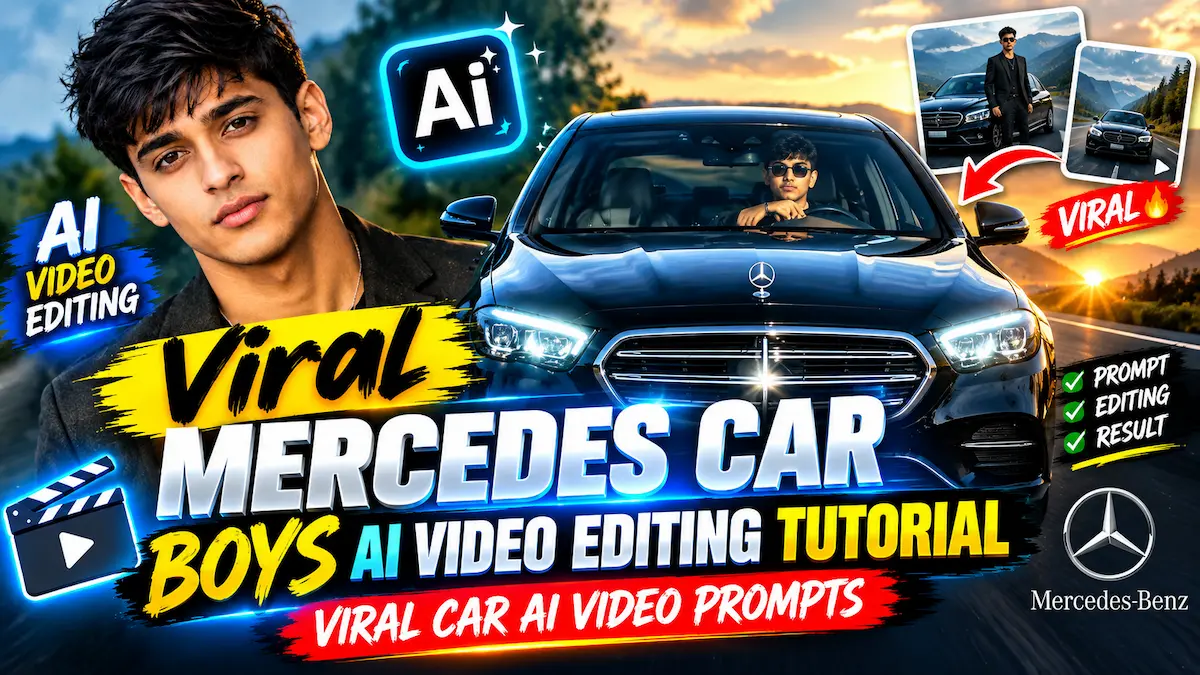
Viral Mercedes Car Boys AI Video Editing Tutorial | Viral Car AI Video Prompts
Published September 25, 2026 · Prompt Tara
Viral Mercedes Car Boys AI Video Editing Tutorial | Viral Car AI Video Prompts
Viral Trend Guide 2026
Viral Mercedes car Boys Ai Video Editing Tutorial | Viral car Ai Video Prompts
Instagram Reels aur YouTube Shorts par millions views cross kar rahe trending Mercedes Car AI videos ko Google Flow AI aur Gemini se bilkul free me create karna seekhein.
🔥 What Is Viral Mercedes Car Boys AI Video Editing?
Aaj ke samay me social media par Viral Mercedes Car Boys AI Video Editing ka trend aag ki tarah viral ho raha hai. Is format me ek ultra-luxury black Mercedes-Benz car road par entry leti hai aur agle hi pal video car ke andar baithe driver ke cinematic angle me switch ho jata hai. Sabse hairatangez baat yeh hai ki yeh video kisi real expensive shoot ka hissa nahi lagta, balki AI se generate hone ke bawajood 100% real DSLR camera recording jaisa feel hota hai.
Is viral concept ki shuruat “Bharat Thakur” aur “Time Pass” jaise popular Instagram creators ke clips se hui thi. Unki videos par 20 se 25 million views record kiye gaye hain. Ab hazaron creators Viral Car AI Video Prompts ka istemaal karke apna khud ka face aur character swap kar rahe hain aur bina kisi car me baithe aisi viral cinematic reels bana rahe hain. Aap prompts customize karne ke liye ChatGPT ka bhi sahara le sakte hain.
💡 Prompt Tara Exclusive Insight: Is realistic effect ko achieve karne ke liye aapko kisi expensive 3D animation software ki zaroorat nahi hai. Yeh poora process Google Flow AI aur Google Gemini AI ke video-to-video reference model ke zariye hota hai.
📥 Step 1: Watch & Download Reference Video Clip
Realistic Viral Mercedes Car Boys AI Video Editing ke liye hume ek exact camera angle aur car motion reference clip ki zaroorat hoti hai. Upar preview dekhein aur neeche diye gaye direct Google Drive button par click karke reference video download karein:
Reference video download karne ke baad, is prompt ko copy karein. Yeh ultra-detailed prompt AI ko strictly instruct karta hai ki yeh koi plastic 3D model na banaye, balki real physical camera footage jaisa natural dynamic range, windshield reflections aur body motion tracking reproduce kare:
Create an ultra-realistic REAL-WORLD CAMERA VIDEO, not an AI-looking or CGI-looking video. Use TWO uploaded references: REFERENCE VIDEO: This controls the exact car, car movement, camera movement, camera angle, framing, timing, scene transition, environment, lighting, actions and overall visual composition. CHARACTER IMAGE: This controls the exact identity and appearance of the person. The final result must look like an actual real camera recording of a real person inside a real physical Mercedes-Benz car. IMPORTANT — DO NOT GENERATE A 3D RENDER: The car must NOT look computer-generated, game-engine rendered, 3D modeled or digitally reconstructed. The person must NOT look AI-generated, plastic, overly smooth, beautified or digitally composited. Everything must have the small imperfections and optical characteristics of genuine real-world camera footage. REAL CAMERA LOOK: Use physically believable camera optics and real-world photography characteristics. Natural exposure. Natural dynamic range. Natural highlight roll-off. Realistic motion blur. Realistic shutter motion. Natural depth of field. Natural lens distortion. Natural focus transition. Realistic sensor noise/grain at a very subtle level. Natural skin texture. Natural micro-contrast. Realistic reflections. Realistic shadows. Realistic ambient light. Do NOT make the image excessively sharp, glossy, HDR, oversaturated or digitally perfect. Avoid the typical AI-generated “perfect image” appearance. REAL HUMAN: The uploaded person must look like a real human being physically present inside the car. Preserve the exact identity from the uploaded image: same face shape, same eyes, same eyebrows, same nose, same lips, same jawline, same skin tone, same hairstyle, same facial hair, same age, same natural facial proportions. Preserve realistic skin pores, tiny skin imperfections, natural facial asymmetry and realistic skin texture. Do not smooth the skin. Do not beautify. Do not reshape the jaw. Do not enlarge the eyes. Do not change the nose. Do not modify the lips. Do not make the face symmetrical. Do not make the person look like an AI model. The person’s face must remain stable throughout the entire video. REAL EYES AND FACE: Eyes must have realistic wetness, reflections and natural blinking. Facial expressions must be produced through subtle realistic facial muscle movement. No frozen expression. No rubber-like facial movement. No face warping. No identity drift. REAL HAIR: Individual hair strands should behave naturally. Hair must respond naturally to head movement and airflow. Do not create painted or plastic-looking hair. REAL HANDS: Hands must have physically correct anatomy. Five fingers on each hand. Natural finger joints. Natural skin texture. Realistic fingernails. Correct hand proportions. Natural wrist movement. No extra fingers. No fused fingers. No malformed palms. No disappearing fingers. REAL MERCEDES: The black Mercedes-Benz must look like an actual photographed physical vehicle. Preserve realistic: metallic black paint, clear-coat reflections, chrome grille, Mercedes emblem, LED headlights, windshield glass, side mirrors, body panels, panel gaps, rubber seals, tires, dashboard, steering wheel, leather seats, interior materials. The paint must reflect the real surrounding environment naturally. Do NOT make the bodywork look like a smooth CGI model. Do NOT create impossible reflections. The windshield must behave like real glass: realistic transparency, realistic reflections, subtle tint, correct refraction, natural highlights and glare. CAR MOVEMENT: Recreate the exact vehicle movement from the uploaded reference video. When the car approaches the camera, its apparent size must increase because of REAL PHYSICAL MOVEMENT through space — NOT because of a digital zoom. The grille, headlights, hood and windshield must naturally become larger in the frame as the vehicle approaches. Perspective must change naturally according to the changing distance between the real camera and the real car. Maintain realistic wheel/body motion and natural vehicle movement. Do not make the car slide. Do not make the car float. Do not make the car move like a 3D animation. CAMERA: Reproduce the reference video’s camera position and movement exactly. The camera must behave like a real handheld or mounted camera physically positioned in the real environment. Match: camera height, camera distance, lens perspective, field of view, framing, camera movement, camera speed, camera acceleration/deceleration, focus behavior, motion blur, and timing. Do not invent camera movements. Do not use artificial digital zoom to imitate physical camera movement. Do not orbit around the car unless the reference video does so. Do not create drone-like movement unless present in the reference. SCENE 1 — EXTERIOR: Recreate the opening exterior shot exactly from the reference video. The real black Mercedes approaches the camera. Maintain the same front-facing composition and camera position as the reference. As the vehicle comes closer, naturally reveal more detail in: grille, Mercedes emblem, headlights, hood, windshield and driver. The driver must remain physically inside the real vehicle. Realistic windshield reflections should partially interact with the driver’s face without completely hiding it. Maintain natural daylight and real environmental reflections. SCENE 2 — EXACT TRANSITION: At the same moment as the reference video, transition/cut to the interior shot. Do not invent a new transition. SCENE 3 — INTERIOR: Recreate the exact interior composition from the reference. The uploaded person sits naturally in the driver’s seat. Show the real steering wheel in the foreground. Show realistic dashboard materials and beige/cream leather interior. The person looks naturally toward the side, then toward the front/camera according to the reference. One hand remains naturally positioned on or around the steering wheel when appropriate. SCENE 4 — HUMAN MOVEMENT: Recreate the exact hand gesture, head movement, eye movement and smile from the reference video. Movement must be subtle and physically realistic. Natural blinking. Natural breathing. Natural shoulder movement. Natural head rotation. Natural facial muscle movement. SCENE 5 — FINAL EXPRESSION: Recreate the final expression and head position from the reference. The person gives a subtle natural smile. Do not exaggerate the expression. Keep the same face identity and realistic skin texture. LIGHTING: Match the real lighting conditions visible in the reference video. Use physically believable daylight. Light must naturally interact with: skin, hair, glass, metal, paint, chrome, dashboard, steering wheel and leather. Shadows must have realistic softness and direction. No artificial studio lighting. No excessive cinematic glow. No fake rim light. No neon lighting unless it exists in the reference. COLOR: Natural real-camera color science. Realistic skin tones. Realistic black car paint. Natural beige interior. Natural highlights and shadows. Avoid excessive saturation. Avoid excessive contrast. Avoid HDR appearance. Avoid Create a highly realistic 10-second cinematic video using the reference image/person as the exact identity reference.
IMPORTANT:
Preserve the person’s exact face, facial structure, skin tone, hairstyle, body proportions, outfit, and overall appearance throughout the entire video.
Do not change identity.
Use realistic human body-motion tracking and natural facial movement.
Maintain temporal consistency from frame to frame.
CAMERA / SCENE:
A young man is sitting naturally in the driver’s seat of a black luxury Mercedes sedan at night.
Camera is positioned outside/front of the car and gradually feels closer to the person through the windshield.
Interior is dimly lit with soft cool nighttime lighting.
The steering wheel remains visible in the foreground.
Realistic windshield reflections, subtle dashboard lighting, natural shadows and cinematic DSLR look.
No camera shake or unnatural warping.
BODY MOTION TRACKING – FOLLOW
THIS EXACT SEQUENCE:
0.0-1.2 seconds:
The person is seated naturally behind the steering wheel.
Upper body relaxed and centered.
Both shoulders remain stable.
He looks toward the camera with a calm expression.
Very subtle breathing movement in chest and shoulders.
Natural blinking.
Hands remain in a believable driving position.
1.2-2.5 seconds:
He begins moving his upper body slightly toward the camera.
His head moves naturally with the torso.
He starts smiling.
One hand gradually lifts away from the steering wheel.
Track the hand from shoulder → elbow → wrist → fingers with correct human joint movement.
No floating or disconnected fingers.
2.5-3.8 seconds:
He raises one hand beside his face and makes a casual two/three-finger gesture.
Elbow bends naturally.
Wrist rotates slightly.
Fingers move independently and realistically.
At the same time, he tilts his head slightly to one side.
His eyes remain directed toward the camera.
Expression becomes playful and confident.
3.8-5.2 seconds:
He lowers the raised hand slightly. His smile becomes wider.
Natural cheek movement and subtle eye squint.
Head returns partially toward center.
Shoulders and neck follow the head movement naturally.
Keep the steering wheel and car interior fixed in
🚀 Step 3: How To Edit Viral Mercedes Car Boys AI Video Step-by-Step
Apne smartphone ya PC se Viral Mercedes Car Boys AI Video Editing complete karne ke liye bas in 5 simple steps ko follow karein:
1
Copy The Master Prompt: Upar diye gaye Copy Prompt 📋 button par tap karein taaki prompt aapke clipboard par copy ho jaye.
2
Open AI Generator: Neeche diye gaye Flow AI ya Gemini AI button par tap karke direct official studio open karein.
3
Upload Two References: Studio ke andar apni downloaded reference video upload karein aur apni front-facing clear photo (Character Image) add karein.
4
Paste Prompt & Set Aspect Ratio: Text box me prompt paste karein aur ratio ko 9:16 (Vertical Reels) par select karein.
5
Generate & Save: Generate button dabayein. Lagbhag 40 se 60 seconds me aapka realistic car video render ho jayega, jise aap HD me download kar sakte hain.
Google Flow AI ek cutting-edge creative video generation studio hai jo Google Gemini ke advanced multimodal AI models par based hai. Is tool ki sabse badi khoobi yeh hai ki yeh simple text-to-video ke alawa dual-reference guidance (Reference Video + Character Image) ko samajhne me saksham hai. Iska matlab hai ki car ka movement aur camera timing reference video se aayega, jabki driver ka chehra aapki uploaded photo se 100% accurately match hoga.
Normal users ko platform par daily lagbhag 60 credits milte hain. Ek high-definition video generate karne me lagbhag 15 credits use hote hain, jisse aap rozana 4 se 5 videos create kar sakte hain. Agar aap bina kisi credit limit ke Viral Mercedes Car Boys AI Video Editing karna chahte hain, to neeche diya gaya secret method zaroor padhein!
⚡ Google Flow AI Unlimited: How To Get It 100% Free
Agar aap bina kisi subscription charge ke Viral Mercedes Car Boys AI Video Editing aur Google Gemini ke high-tier tools use karna chahte hain, to yeh exclusive telecom trick aapke hazaron rupaye bacha sakti hai:
📱 The Jio ₹350 Recharge Trick (Worth ₹35,000 Free Access)
Agar aapke paas Jio SIM card hai, to Jio ke ₹350 recharge par complimentary Google Gemini Pro / Advanced subscription milta hai (jiski market value lagbhag ₹35,000 salana hai). Ise claim karne ka exact process yeh hai:
Apne phone me My Jio App open karein.
Home page par scroll karke Gemini AI / Google One Banner par tap karein.
Apna mobile number, naam aur primary Gmail address enter karke invite request submit karein.
Aapke Gmail par confirmation email aayega; link par tap karte hi aapka Gemini Pro account activate ho jayega!
Iske baad aap Google Flow AI studio me same email se login karke unlimited generations ka maza le sakte hain.
Agar aap filhal koi dusra telecom network use kar rahe hain, to Jio SIM par switch karke ya secondary SIM rakhkar is offer ka pura labh utha sakte hain.
📊 Optical Specifications & Settings Architecture
Is realistic car video ko cinematic appeal dene ke liye humne optical parameters ko perfectly calibrate kiya hai:
Parameter
Recommended Value
Purpose / Realism Impact
Camera Lens
35mm – 50mm Prime Equivalent
Natural perspective bina kisi fish-eye distortion ke
Lighting Architecture
Natural Daylight + Glass Refraction
Windshield aur dashboard shadows ka realistic fall-off
Color Palette
Obsidian Black, Deep Chrome, Slate Grey
Luxury premium aesthetic jo eyes ko capture karti hai
Composition Rule
Center-Weighted Rule of Thirds
Driver eye-level alignment aur steering symmetry
Aspect Ratio
9:16 Vertical
Full-screen mobile immersive experience for Reels & Shorts
🔗 Explore More Creative AI Guides on Prompt Tara
Apne editing skills ko next level par le jaane ke liye humare dusre popular guides check karein:
1. Kya Viral Mercedes Car Boys AI Video Editing mobile phone se ho sakti hai?+
Haan, aap is poore process ko apne Android ya iPhone ke Chrome browser me Google Flow AI ya Gemini website open karke aasaani se complete kar sakte hain. Kisi PC ya heavy graphics card ki zaroorat nahi hai.
2. Video me character ka face natural kyu nahi lagta aur use kaise theek karein?+
Agar character photo low quality ya heavy beauty filter wali ho, to AI use plastic render me convert kar deta hai. Hamesha natural daylight me li gayi high-resolution front-facing photo upload karein taaki skin texture preserve rahe.
3. Kya Google Flow AI commercial use ke liye safe aur copyright free hai?+
Ji haan, aap in generated videos ko Instagram Reels, YouTube Shorts aur TikTok par bina kisi copyright strike ke monetize aur publish kar sakte hain. Bas background me trending audio add karna na bhoolein.
4. Jio recharge trick se Gemini Pro kitne samay tak active rehta hai?+
Complimentary access active Jio plan ke sath linked rehta hai. Jab tak aapka valid eligible plan chal raha hai, tab tak aap Gemini Pro ke premium features ka bina kisi extra fee ke fayda utha sakte hain.
🏁 Conclusion
To dosto, aaj ke is comprehensive guide me humne Viral Mercedes Car Boys AI Video Editing ka secret master prompt, reference video workflow aur Google Flow AI ko unlimited access karne ka pura tarika seekha. Ab aapko kisi luxury car ke showroom me jaane ki zaroorat nahi hai; bas apna character image lagayein aur Instagram par agla viral sensation ban jayein!
Agar aapko koi bhi step samajhne me dikkat aaye, to comment karke pooch sakte hain. Agle article me milte hain, tab tak ke liye happy editing!