Car Stunt Video Prompt | Create Free Muse Ai Car Flying Video
Car Stunt Video Prompt | Create Free Muse Ai Car Flying Video
Desert camping chair par baithe hue piche se flying Toyota pickup truck ka cinematic stunt video create karein Muse AI, Google Flow aur Gemini ki madad se bilkul free me.
💥 The Viral Phenomenon Behind Car Stunt Video Prompt
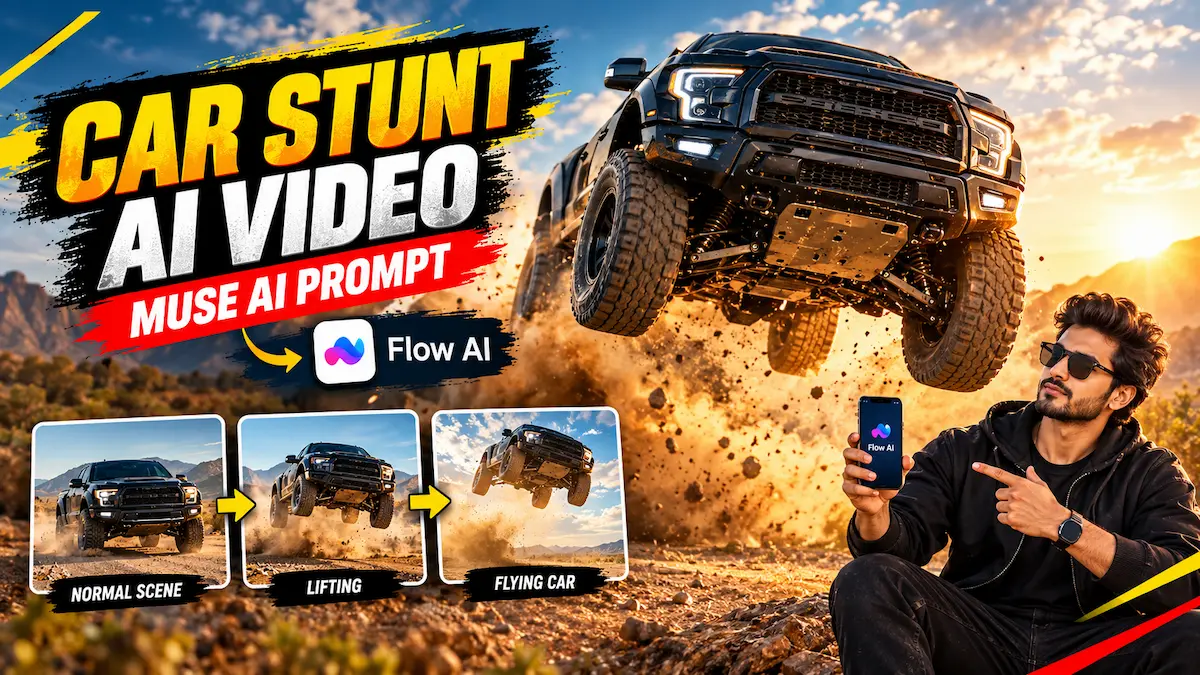
Social media platforms jaise Instagram Reels aur TikTok par is waqt Car Stunt Video Prompt ka ek jabardast trend virally boom kar raha hai. Is viral concept me visual contrast ka behad kamaal ka istemaal kiya gaya hai: Foreground me ek ladka ya ladki aaram se dry grass desert landscape me folding camping chair par ek taang par doosri taang chadha kar shanti se baitha hota hai. Tabhi achanak piche se ek massive black Toyota pickup truck full speed me jump karke hawa me fly karti hai aur charo taraf bhayankar dhool (dust storm) udati hui nikal jaati hai!
Yeh video dekhne me itna ultra-realistic lagta hai maano kisi high-budget Hollywood action movie jaise Fast & Furious ya Mad Max ka live stunt camera par record kiya gaya ho. Viewers hairan reh jaate hain ki kya sach me kisi ne chair par baithkar itna khatarnak stunt shoot kiya hai? Lekin sach yeh hai ki yeh poora scene cutting-edge AI video synthesis se generate kiya gaya hai. Is tutorial me hum seekhenge ki kaise aap Muse AI Car Flying Video aur Google Flow AI ke zariye apna khud ka face replace karke aisi viral reel tayyar kar sakte hain.
📥 Step 1: Watch & Download Reference Stunt Video
Realistic Car Stunt Video Prompt ko execute karne ke liye sabse important element hota hai exact timing aur motion tracking reference. AI bina base motion ke itna complex stunt generate nahi kar sakta. Pehle neeche diye gaye player me 12-second action reference dekhein aur fir direct Google Drive link se video download kar lein:
📋 Step 2: Master Prompt with Strict Identity Lock
Reference video save karne ke baad, neeche diye gaye master prompt ko copy karein. Yeh prompt AI ke liye strict instruction set hai jo ensure karta hai ki aapka chehra har single frame me 100% stable rahe aur Toyota pickup truck ka jump natural gravity physics ke mutabiq render ho:
🚀 Step 3: Step-by-Step Workflow in Muse AI & Google Flow
Apna photorealistic Car Stunt Video Prompt project render karne ke liye in 5 technical steps ko carefully follow karein:
-
1
Copy The Master Prompt: Upar diye gaye Copy Stunt Prompt 📋 button par click karke exact prompt copy karein.
-
2
Access Official Studio: Neeche diye gaye Flow AI Studio ya Gemini AI button par tap karke workspace open karein.
-
3
Feed Dual References: Studio me pehle apni downloaded reference stunt video upload karein (jo motion control karegi) aur second slot me apni front-facing clear daylight photo (Character Reference) upload karein.
-
4
Lock Aspect Ratio to 9:16: Text prompt box me prompt paste karein aur ratio ko strictly 9:16 (Vertical) select karein taaki full screen mobile framing preserve rahe.
-
5
Render & Final Polish: Generate par click karein. 45 se 90 seconds me aapka full action shot render ho jayega. Ise HD me download karke trending action audio ke sath post karein.
🔬 The Secret Science: Why This Action Prompt Looks 100% Real
Jab koi creator generic prompt likhta hai jaise “truck jumping over boy in desert”, to AI use video game jaisa render bana deta hai. Humare Car Stunt Video Prompt me 3 critical cinematic pillars inject kiye gaye hain jo computer generation ko real cinema me convert karte hain:
1. Telephoto Lens Compression (85mm – 135mm): Real action shoots me cameraman safe distance par baithkar long telephoto lens use karta hai. Yeh lens background (flying truck aur dust clouds) ko foreground subject (chair par baitha vyakti) ke behad kareeb dikhata hai. Is compression se stunt ka visual impact 10x badh jata hai bina kisi visual distortion ke.
2. Golden Hour Mie Scattering (Dust Interaction): Desert ki mitti jab truck ke heavy wheels se hawa me udti hai, to dhalte sooraj ki roshni (low-angle golden light) har single dust particle ke through refract hoti hai. Prompt ka lighting engine ensures karta hai ki dhool plastic smoke jaisi na dikhe balki real airborne particles lagein.
3. Temporal Identity Lock: Most face-swap tools video ke dauran chehre ko rubber ki tarah warp kar dete hain. Humare prompt ka “Identity Lock” sub-routine AI ko skin pores, natural facial asymmetry aur eye wetness ko har 0.1 second ke interval par re-validate karne par majboor karta hai.
📊 Technical Specifications & Optical Matrix
Stunt realism ko master-grade standard par maintain karne ke liye optical configuration parameters:
| Parameter | Calibrated Value | Cinematic Impact |
|---|---|---|
| Camera Lens | 85mm – 135mm Telephoto Prime | Intense depth compression with zero fisheye distortion |
| Lighting Architecture | Warm Low-Angle Golden Hour | Dramatic rim-lighting on airborne dust particles |
| Shutter Dynamics | 1/1000s High-Speed Shutter Angle | Crisp truck silhouette with realistic organic tire blur |
| Physics Simulation | Volumetric Dust & Gravity Suspension | Believable truck landing with real-world chassis rebound |
| Aspect Ratio | 9:16 Vertical Reel Format | Maximized screen real-estate for Instagram and Shorts |
🔗 Explore More Premium AI Guides on Prompt Tara
Apne viral content creation workflow ko boost karne ke liye humare exclusive tutorials zaroor explore karein:
- Latest Trending AI Video Prompts – Daily updated cinematic concepts.
- Ultra-Realistic AI Photo Guides – Midjourney & Gemini prompt collections.
- Free Video Presets & Motion Templates – One-tap viral editing tools.
❓ Frequently Asked Questions (FAQs)
🏁 Final Verdict
To dosto, aaj ke is comprehensive tutorial me humne Car Stunt Video Prompt ka secret prompt, reference video workflow aur telephoto lens optics ka pura setup seekha. Ab aapko kisi dangerous stunt ko real life me try karne ki koi zaroorat nahi hai; bas apna character image attach karein aur social media par agla million-view blockbuster release karein!
Agar aapko video rendering ya prompt execution me koi bhi dikkat aati hai, to niche comment karein. Milte hain agle viral prompt guide me, tab tak ke liye create karte rahein!